
You go to log in, and you do not land in your store.
You land on a Maropost page listing every store you can reach, and you click through from there.
If you have run a Maropost (Neto) store for a while, that is new, and the first time it happens it is a little disorienting.
Here is what actually changed, and how to make it sit comfortably.
What changed
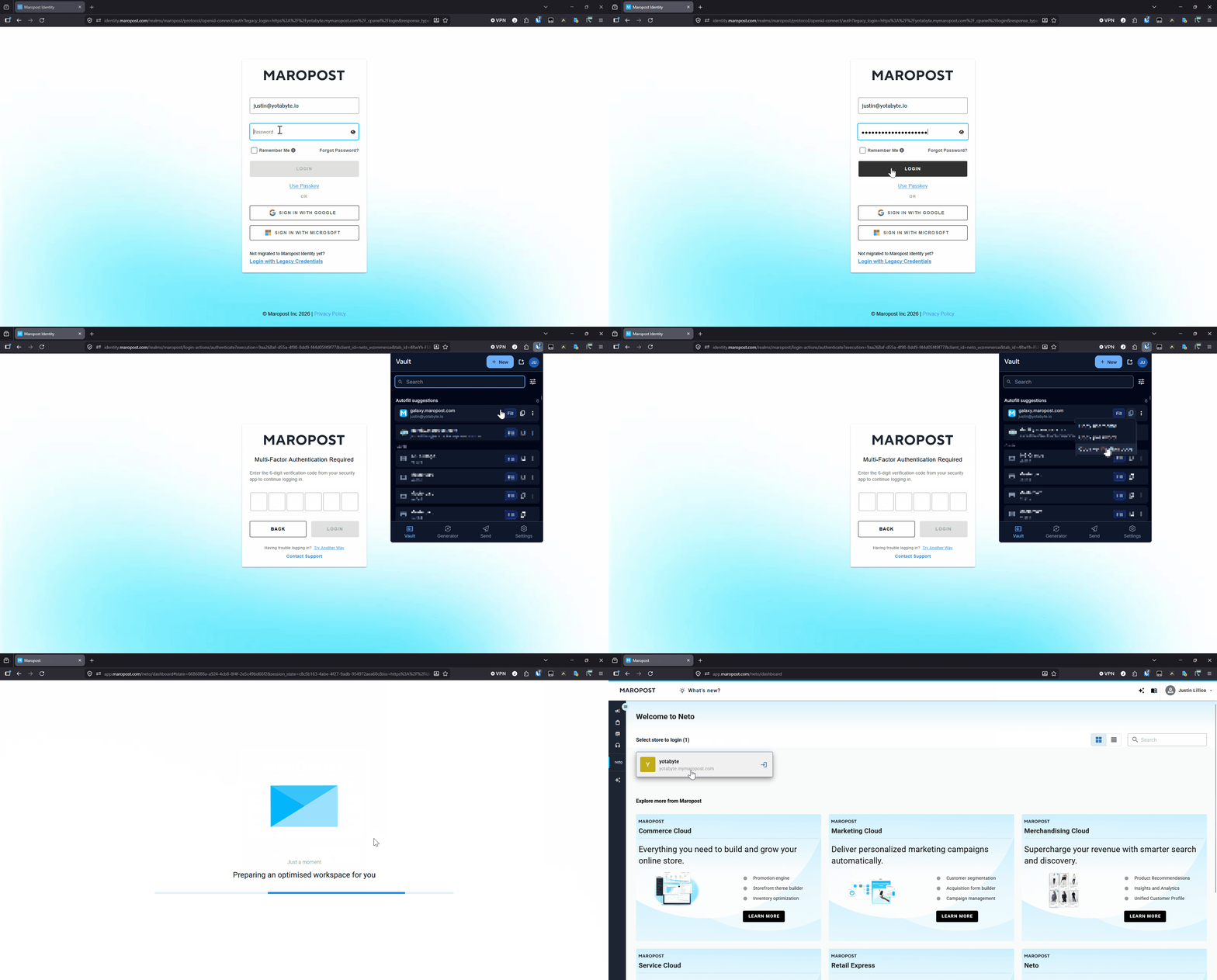
Maropost has moved all store logins behind a single sign-on it calls Identity. One set of credentials now covers everything you can access, protected by a one-time code at login.
That is the reason for the new middle step. After you sign in, Identity drops you on a hub that lists your stores and you pick one. It is one secure front door instead of a separate lock on every store.
Tip: skip the hub, go straight to your store
If you only ever work in one store, the hub is an extra click you do not need.
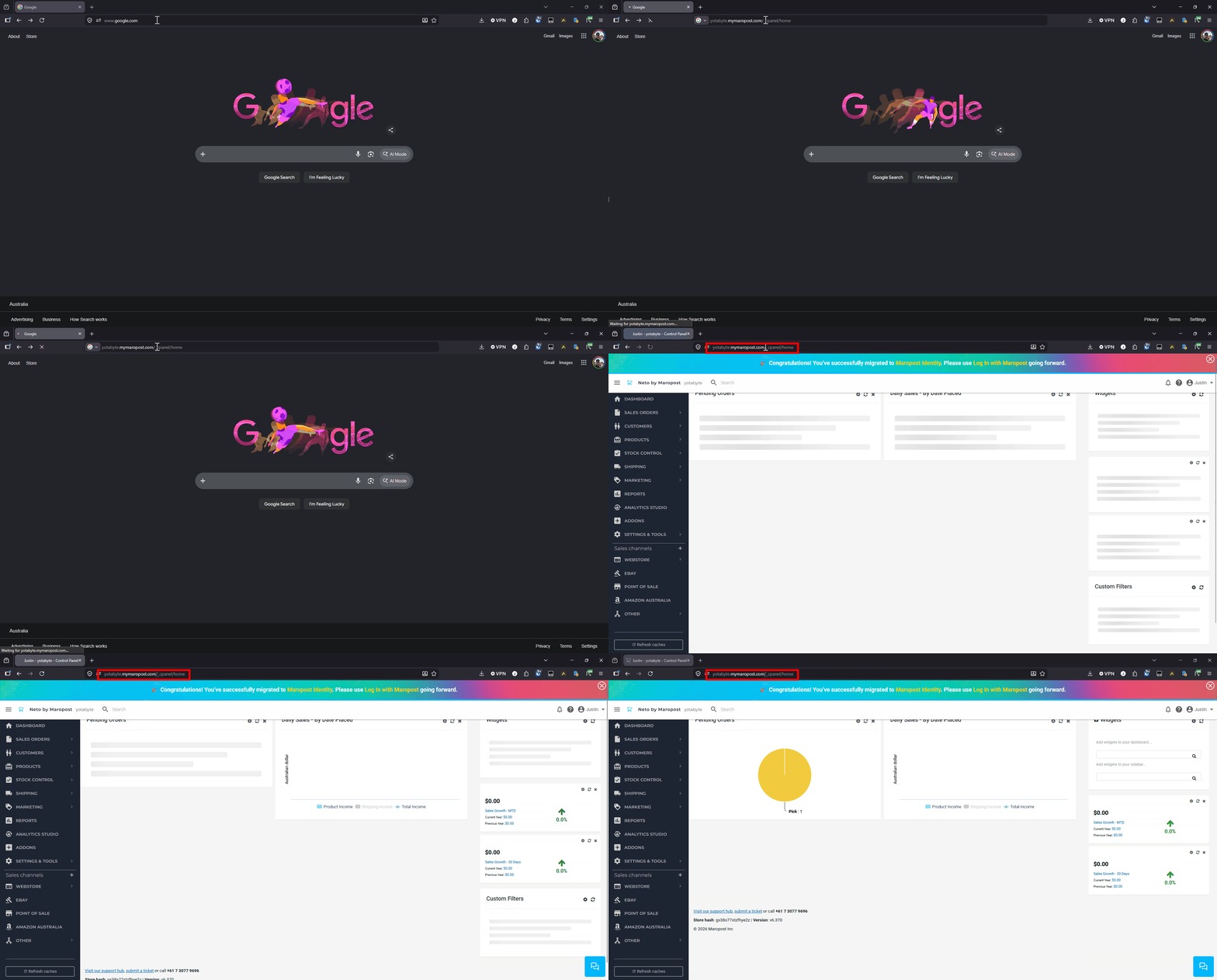
Bookmark your store's control panel directly. Pop your store address in here and the link updates for you:
Type your store address and the link below updates to match.
https://yourstore.com.au/_cpanel/home
Open that and, as long as you are signed in, you land straight on your dashboard and skip the hub entirely. Make it your bookmark and the new middle step quietly disappears from your day.
One login, many stores
One thing the new hub makes obvious: a single Maropost account can hold more than one store.
Most owners only have one, and for them the hub is simply the store they always use. But if you run a few brands, or you are an agency or partner working across client stores, they now all sit under the one login, and moving between them is a click on the hub rather than a fresh sign-in each time.
[ GIF: clicking between two stores on the hub ]
"Am I going to keep getting logged out?"
This is the worry we hear most, and the good news is: far less than it feels.
We tested it. With your browser left open, a session happily lasts the whole working day. We left one sitting untouched overnight and it was still signed in the next morning. The old "logged out after an hour" feeling from the control panel is handled quietly in the background now, so you rarely see it.
The one thing that genuinely signs you out is fully closing your browser. So two easy fixes:
1. Tick "Remember me" when you log in. That carries your session across closing and reopening the browser, so you are not asked again every morning.
2. Or set your browser to reopen your tabs on startup ("Continue where you left off" in Chrome). Same effect: your session comes back with your tabs.
[ GIF: the Remember me checkbox at login ]
Two-factor without making staff use their phones
Identity asks for a one-time code at login. Plenty of owners do not want their staff, especially casuals, using personal phones for a work login, and they do not have to.
The code just needs to come from an authenticator, and that does not have to be a phone:
- a free password manager that also generates codes, like Bitwarden, holding the code right alongside the login on the work computer;
- or a desktop authenticator app such as KeePassXC, running on the machine staff already stand at.
No personal phone required, and one set up per work computer is perfectly fine.
Staff logins without handing out personal emails
If you have a team sharing the tills and you do not want everyone signing in on their personal Gmail, there is a neat trick that uses a single inbox to give every staff member their own login. We wrote that one up on its own.
Read it here: One inbox, a whole team of logins
The bottom line
The new Identity is here to stay, and underneath the unfamiliar first impression it is a fairly ordinary single sign-on.
A direct bookmark, "Remember me", and an authenticator that is not tied to anyone's phone, and it gets out of your way.
Whatever your setup, one store or twenty, a solo operator or a floor full of casuals, it can be made to work for you.
No comments yet. Be the first.