
A bigger one this week, mostly about columns.
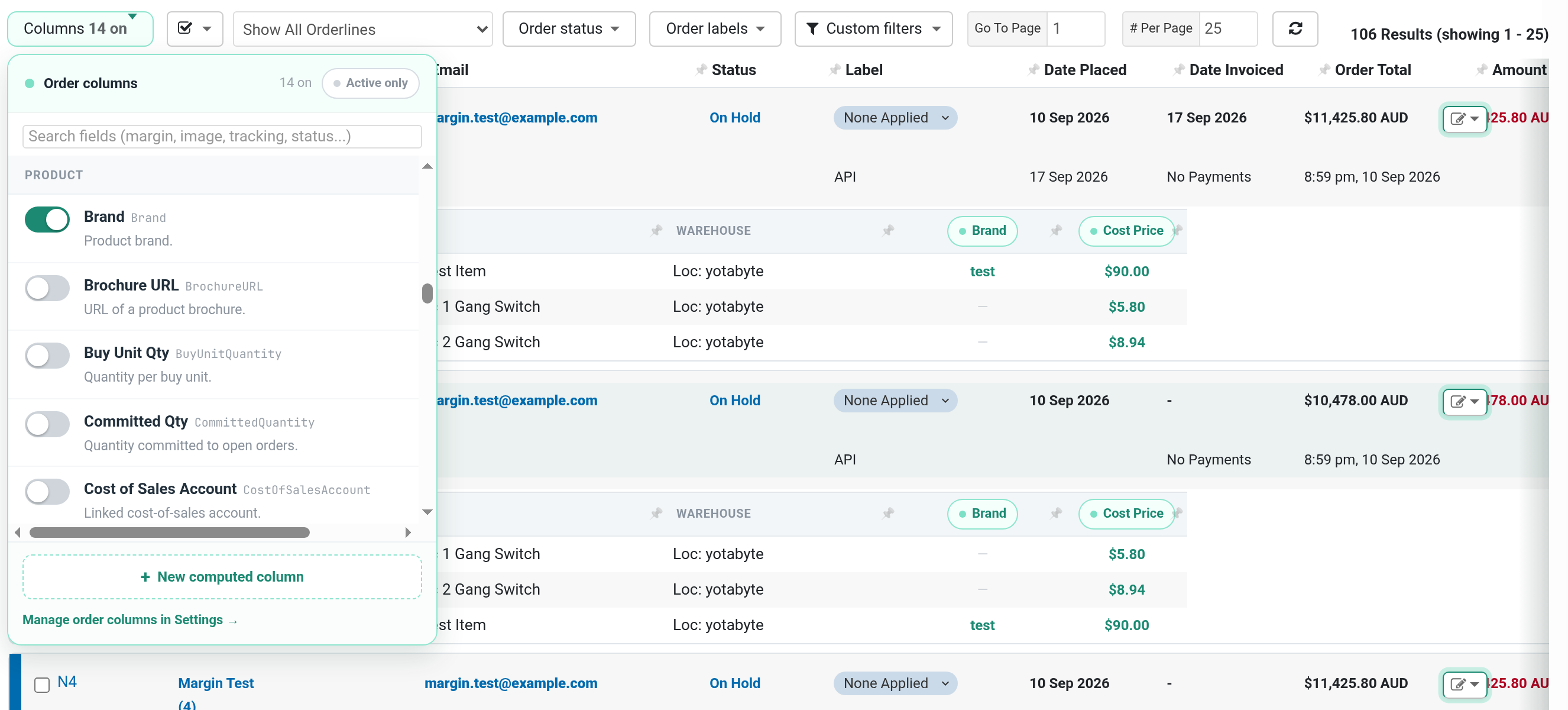
Product details on your order lines
Open the Columns panel on the order list. There is a new Product section, with every product field you can already add on the product list. Turn one on and each order line shows that value for its SKU: bin location, supplier, brand, weight, your own custom fields by name, whatever helps you pick, pack or check an order.
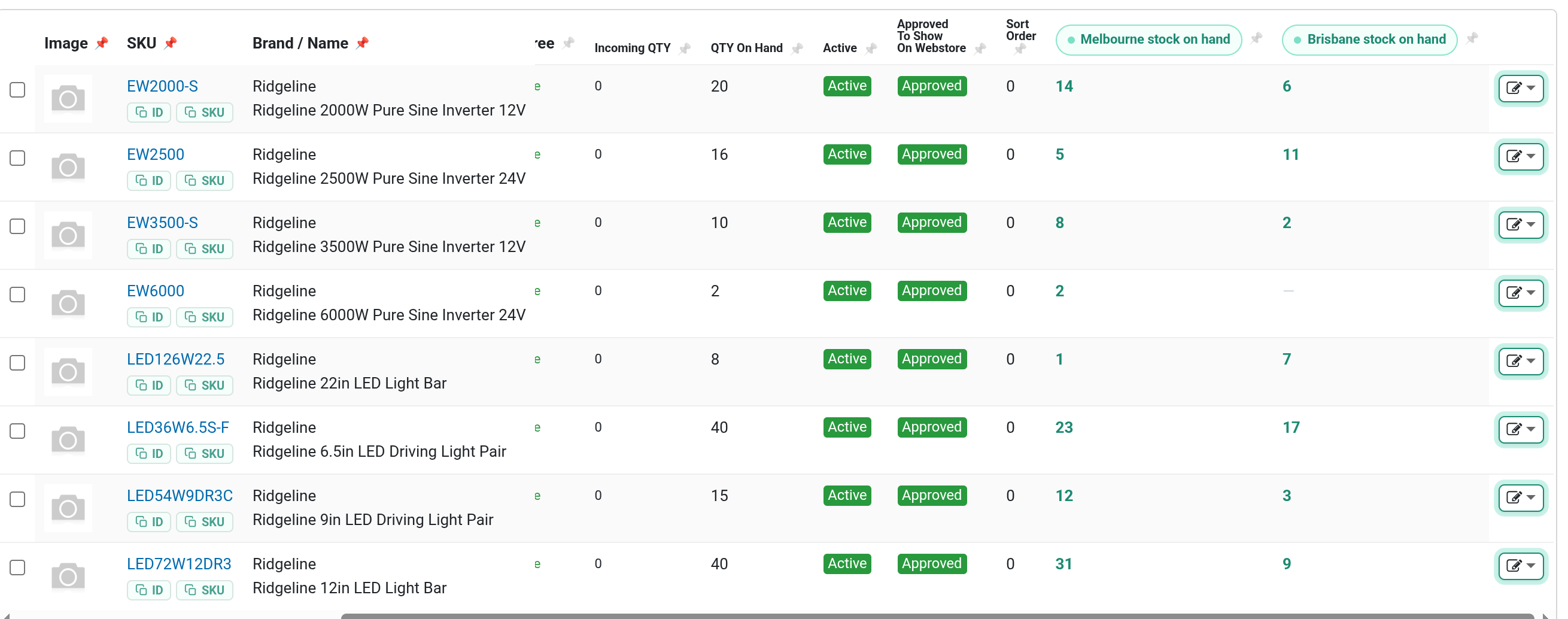
Stock for each warehouse
If you hold stock in more than one warehouse, the product list can now show each one as its own column. Open Columns and search for the warehouse name, for example "Brisbane stock on hand". The names come from your own warehouses page in cPanel.
Your setup, on every computer
Your column layouts, quick links, bookmarks and other Sidekick settings now follow you between computers, as long as you are signed in to your browser with sync turned on. Set it up once at the office and it is there at home. Your API key stays on each computer and is never synced.
Smaller fixes
- Type an order number, SKU or ID into the Ctrl+Space menu without a command, and Sidekick offers to open it as an order, a product or a customer.
- The product panel now shows your custom field names too, not Misc Field 24.
- The box for renaming a field in the product panel no longer shrinks to a sliver.
Which product details would you most like to see on an order? Leave a comment below.
No comments yet. Be the first.